


If you have been thinking about stepping into the world of custom PC building, you are not alone. The demand for the best gaming PC build guide has skyrocketed as gamers realize that crafting their own rig offers unparalleled performance and personalization. Whether you are chasing high frame rates in competitive shooters or rendering 4K cinematic masterpieces, understanding how to piece together a powerhouse from individual components is a skill that pays dividends for years. This comprehensive walkthrough cuts through the noise, giving you the exact blueprint you need to assemble a machine that perfectly fits your gaming ambitions and budget.
Why the Best Gaming PC Build Guide Matters in 2024
Building a computer is not just about slapping parts into a case; it is an exercise in future-proofing your digital playground. A tailored approach ensures that every dollar you spend directly contributes to your frame rates and system responsiveness. Unlike pre-built machines that often bottleneck with mismatched components, a custom rig lets you prioritize what matters most—whether that is raw graphical fidelity or lightning-fast load times. Furthermore, understanding your PC’s architecture makes troubleshooting a breeze, turning what seems like a daunting task into a rewarding weekend project.
Choosing the Core Components (CPU & GPU)
At the center of any high-performance setup lie the processor and the graphics card. These two components dictate the overall capability of your machine, so choosing wisely is critical.
The Heart of Your Rig: Selecting the Right GPU
Your graphics card is the single most important investment for gaming. It handles the rendering of textures, lighting, and complex environments. When looking at a PC parts list, the GPU should be your starting point. For 1080p gaming, an NVIDIA GeForce RTX 4060 or AMD Radeon RX 7600 delivers excellent value. If you are targeting 1440p, step up to the RTX 4070 or RX 7800 XT. For the ultimate 4K experience, the RTX 4080 or RX 7900 XTX provides the necessary horsepower. Always factor in the power supply requirements and physical dimensions of your chosen case when making this decision.
Processing Power: Picking the Ideal CPU
While the GPU renders the visuals, the CPU handles game logic, AI, and background processes. Pairing a top-tier graphics card with a sluggish processor will bottleneck your system. For the best balance of cost and performance, AMD’s Ryzen 5 7600X and Intel’s Core i5-14600K remain outstanding choices. If you are building an advanced rig that streams while gaming, the Ryzen 7 7700X or Intel i7-14700K offer the multi-threaded prowess needed to keep your frames stable while broadcasting to Discord or Twitch.
Supporting Hardware for Gaming Guides Peak Performance
Beyond the CPU and GPU, the supporting cast plays a massive role in delivering a seamless experience.
Memory and Storage: Speed and Capacity
Random Access Memory, or RAM, acts as the temporary workspace for your active games and operating system. For modern titles, 16GB of DDR5 RAM is the sweet spot, though 32GB is becoming the new standard for enthusiasts. On the storage front, a fast NVMe M.2 SSD is non-negotiable. Traditional hard drives will bottleneck your load times and system responsiveness. A 1TB or 2TB NVMe drive ensures your operating system and favorite titles boot up almost instantly.
Motherboard and Power Supply Essentials
Your motherboard is the nervous system connecting all your components, while the power supply unit (PSU) is the heart that keeps everything alive. Do not cheap out on the PSU; a low-quality power supply can fry your entire rig. Look for 80 Plus Gold or Platinum certifications for efficiency and reliability. When selecting a motherboard, ensure it has the correct socket for your CPU, enough RAM slots for future upgrades, and sufficient USB and PCIe ports for your gaming peripherals and expansion cards.
Step-by-Step Assembly Roadmap
Once you have gathered all your components, the actual building process begins. Following a structured methodology prevents costly mistakes and ensures a clean, efficient build.
The Golden Rule of Cable Management
Clean cable management is not just about aesthetics; it improves airflow, which keeps your components cool. Route cables behind the motherboard tray whenever possible. Use zip ties or velcro straps to secure excess wires, keeping them away from fans and vents.
The Logical Installation Order
Installing components in the wrong order can block access to tight spaces. Follow this sequence to streamline your process:
- Install the CPU into the motherboard socket, locking it carefully without forcing the pins.
- Mount the M.2 SSD onto the motherboard before placing it into the case.
- Secure the RAM into the appropriate slots, using the motherboard’s dual-channel configuration guide.
- Attach the PSU to the rear of the case and route the main 24-pin and CPU 8-pin cables.
- Install the GPU into the top PCIe slot, ensuring it clicks securely into place.
- Connect all front panel cables, including power, reset, and USB headers, to the motherboard.
Budget vs. High-End Build Comparison
Not every gamer has the same financial goals. Here is a quick comparison to help you decide which path aligns with your needs:
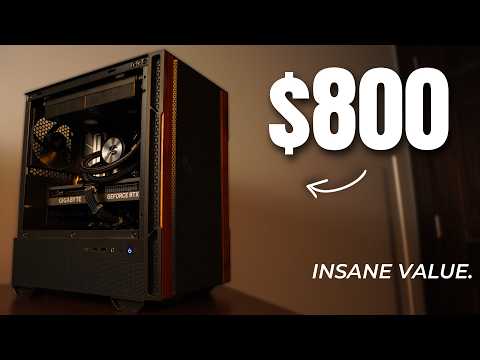
| Component | Budget Build (~$800) | High-End Build (~$2500) |
| CPU | AMD Ryzen 5 7600 | Intel Core i9-14900K |
| GPU | RTX 4060 Ti | RTX 4090 |
| RAM | 16GB DDR5 | 32GB DDR5 (6000MHz) |
| Storage | 1TB NVMe SSD | 2TB NVMe SSD + 4TB HDD |
| Target Resolution | 1080p / 1440p | 4K Ultra |
Expert Tips for a Flawless Build
Even with the best gaming PC build guide, small oversights can cause major headaches. Here are expert tips to keep your build smooth:
- Use an anti-static wrist strap. Electrostatic discharge can silently destroy sensitive microchips. Always ground yourself before touching components.
- Do not force anything. If a component does not fit easily, stop and check the alignment. Forcing parts can break pins and destroy hardware.
- Test outside the case first. Perform a “bench test” by connecting your motherboard, CPU, RAM, and GPU outside of the case. This ensures the system posts before you worry about cable management.
- Keep your drivers updated. A fresh Windows installation is fast, but installing the latest GPU drivers from NVIDIA or AMD is crucial for maximizing gaming performance and stability.

Conclusion
Building your own gaming computer is an empowering experience that puts you in complete control of your digital environment. By following this best gaming PC build guide, you have the knowledge to navigate the sea of components and assemble a machine that delivers exactly the performance you desire. Remember, the journey of building your PC is just as rewarding as the gaming sessions it enables. Take your time, double-check your connections, and enjoy the satisfaction of powering on a system you built with your own hands.
Frequently Asked Questions
What is the best order to install PC parts for a beginner?
For beginners, the best order is to prepare your motherboard outside the case first. Install the CPU, apply thermal paste, mount the cooler, and seat the RAM. Then, install the M.2 SSD. After ensuring all core components work via a bench test, transfer the motherboard into the case, install the PSU, mount the GPU, and connect all front-panel cables. This staged approach minimizes the risk of damaging components in a cramped space.
How much should I spend on a budget gaming PC build in 2024?
For a capable budget gaming PC build in 2024, aim for around $800 to $1000. This price point allows you to secure a solid mid-range CPU and a modern GPU capable of delivering smooth 1080p and even 1440p gameplay at high settings. Spending less than $800 often results in bottlenecks or outdated hardware that will require an upgrade much sooner, reducing the overall value of your investment.

What is the easiest part of building a gaming PC to make a mistake on?
The easiest part to make a mistake on is connecting the front panel headers. These tiny pins on the motherboard control your power button, reset switch, and USB ports. If you misalign them, your PC will not turn on or your ports will not work. Always consult your motherboard manual to map out the exact location and orientation of these connectors before plugging them in.
How do I choose the right motherboard for my gaming PC build?
Choosing the right motherboard starts with the CPU socket; an AMD Ryzen CPU requires an AM5 motherboard, while Intel 14th gen requires an LGA 1700 board. Beyond the socket, consider the form factor—ATX for expandability or Micro-ATX for smaller cases. Ensure it has enough M.2 slots for your NVMe drives, sufficient RAM slots for future upgrades, and VRM cooling if you plan to overclock your processor.
Can I upgrade my gaming PC later if I start with a budget build?
Absolutely. Starting with a budget build is one of the smartest ways to enter the PC gaming ecosystem. The beauty of a modular PC is its upgradeability. You can keep the motherboard and case and swap out the GPU in a year or two as newer, more affordable options hit the market. Just ensure your PSU has enough wattage headroom to support a more powerful graphics card down the line.