


If you have ever wondered how to create stunning browser-based games without writing a single line of code, construct games are the answer that thousands of developers and hobbyists have been discovering. The Construct game engine, developed by Scirra Ltd., has revolutionized the game development landscape by offering a powerful, event-based system that empowers creators of all skill levels to build fully functional games. Whether you are a complete beginner taking your first steps into game design or an experienced developer looking for a rapid prototyping tool, understanding construct games opens up an entire world of creative possibility. In this comprehensive guide, we will explore everything you need to know about building games with Construct, from core features and engine comparisons to advanced techniques and real-world success stories.
What Are Construct Games and Why Do They Matter?

Construct games are video games built using the Construct game engine, a proprietary, HTML5-based development platform that uses a visual, event-driven scripting system instead of traditional programming languages. This means that game logic is created through a system of conditions and actions, making it incredibly accessible for people who have never coded before. Construct games run directly in web browsers, making them ideal for casual gaming, mobile web experiences, and educational projects.
The significance of construct games extends beyond ease of use. They represent a shift toward democratized game development, where the barriers to entry are dramatically lowered. With Construct 3 as the current flagship product, developers can create complete, polished games entirely within a browser-based editor. The engine supports tilemaps, physics simulations, particle effects, and even multiplayer networking through plugins.
Key Features That Make Construct Games Stand Out
When comparing construct game development to other engines, several standout features emerge that give creators a competitive edge:
- Event Sheet System: A non-programming logic system where you define what happens under specific conditions using visual sheets that are easy to read and organize.
- Built-in Physics Engine: Construct games can leverage the Box2D physics engine natively, enabling realistic collisions, gravity, and object interactions without external libraries.
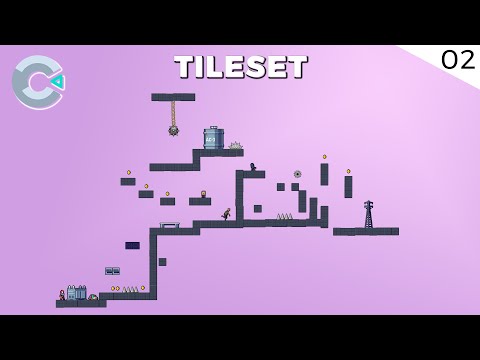
- Tilemap Editor: A powerful grid-based level design tool that allows developers to paint entire game worlds visually and efficiently.
- HTML5 Export: Every construct game exports natively to HTML5, meaning your game runs on desktop browsers, mobile devices, and can even be packaged for app stores.
- Drag-and-Drop Workflow: The entire development process, from asset import to export, is designed around an intuitive drag-and-drop interface.
- JavaScript Integration: For advanced users, Construct 3 allows custom JavaScript snippets and integration with third-party APIs, bridging the gap between visual scripting and traditional coding.
Construct 3 vs Construct 2: A Side-by-Side Comparison
Scirra currently maintains two versions of the engine, and understanding the differences is essential when deciding which tool suits your construct game development journey.
| Feature | Construct 2 | Construct 3 |
| Platform | Desktop application (Windows) | Browser-based with offline editor |
| System Requirements | Windows OS, moderate hardware | Any modern browser, any OS |
| Collaboration | Local files only | Real-time multiplayer editing |
| Asset Pipeline | Manual import workflows | Integrated asset workflow with drag-and-drop |
| Learning Curve | Moderate | Gentle, with interactive tutorials built in |
| Pricing Model | One-time purchase available | Subscription-based (free tier available) |
| Plugin Support | Limited third-party ecosystem | Extensive plugin and extension library |
| Export Options | HTML5, Cordova, Windows, Mac | HTML5, mobile wrappers, and more |
For most new developers, Construct 3 is the recommended choice because of its cross-platform accessibility and continuous updates. However, construct games built with Construct 2 still remain fully functional and are used by developers who prefer a traditional desktop workflow.
Types of Games You Can Build with Construct
One of the most common questions aspiring developers ask is: what types of construct games can I actually build? The answer is impressively broad. The engine excels at specific genres while still offering enough flexibility for experimentation.
- Platformers: Construct’s built-in physics, tilemap editor, and character controller plugins make it one of the best engines for 2D platformer development. Games like Fleeing the Complex and numerous indie platformers have been built entirely in Construct.
- Puzzle Games: The event system is perfectly suited for logic-based puzzle mechanics, where state management and condition checking are the core gameplay loop.
- Top-Down RPGs and Adventure Games: With tilemap support, dialogue systems, and inventory management plugins, construct game development shines for narrative-driven experiences.
- Tower Defense: The engine handles pathfinding, wave spawning, and tower placement mechanics with remarkable ease through its behavior system.
- Casual and Hyper-Casual Mobile Games: Because construct games export directly to HTML5, they are ideal for quick-to-market casual games distributed through web portals or wrapped for mobile app stores.
- Educational and Simulation Games: Teachers and instructional designers use Construct to build interactive learning experiences without needing programming expertise.
Getting Started with Construct Game Development
If you are new to construct games, the best starting point is Construct 3’s official free tier. Scirra provides a fully functional editor accessible directly at construct.net, and you can begin building immediately with no installation required. Here is a recommended path for your first project:

- Choose a simple game concept, such as a single-screen arcade game or a basic platformer level.
- Follow the built-in “How to Make a Game” tutorials that guide you through the event sheet system step by step.
- Import placeholder graphics or use the built-in sprite assets to focus on mechanics before art.
- Test your construct game frequently using the live preview feature, which updates in real time as you build.
- Export your completed game as an HTML5 file and host it on a free platform like Itch.io or GitHub Pages.
Beginner Tips for Success
Starting out with construct game development can feel overwhelming, but a few expert tips will accelerate your progress significantly. First, always plan your game mechanics on paper before touching the editor. Understanding your conditions, actions, and variables before implementation saves hours of trial and error. Second, learn to organize your event sheets by naming them clearly and grouping related logic together. Third, take advantage of the Construct community forums, where thousands of developers share templates, plugins, and troubleshooting advice. Finally, do not underestimate the power of the official Scirra tutorials and template projects, which provide a working foundation you can modify and learn from.
Advanced Techniques for Construct Games
Once you have mastered the basics, elevate your construct game projects with these advanced strategies. Custom JavaScript plugins allow you to extend the engine’s capabilities beyond what visual scripting alone can offer. For example, you can integrate Firebase for real-time multiplayer, connect to external REST APIs for dynamic content, or implement complex AI pathfinding algorithms that go beyond the built-in NavMesh behavior.
Performance optimization is another critical area. Construct games can become resource-heavy when using hundreds of particle effects, large tilemaps, or complex physics simulations. Developers should leverage the engine’s built-in profiling tools, use object pooling for frequently created and destroyed entities, and limit draw calls by organizing layers efficiently. Understanding these techniques separates amateur construct games from polished, professional-quality releases.
Popular Construct Games and Real-World Success Stories
The Construct engine has powered hundreds of commercially successful titles. Crossy Road, one of the most downloaded mobile games of all time, was originally prototyped in Construct before moving to a custom engine for full production. Braid creator Jonathan Blow has spoken publicly about the value of rapid prototyping tools like Construct for exploring game design ideas quickly. Independent developers regularly release full commercial titles built entirely in Construct, proving that a no-code or low-code approach can yield professional-grade results.
Beyond commercial success, construct games have become staples in the game jam community. The engine’s ease of use and fast iteration cycle make it a favorite for 48-hour game jams, where developers need to prototype, build, and polish under tight deadlines.
Conclusion
Construct games represent one of the most accessible and powerful paths into game development available today. Whether you are building your first platformer, prototyping a multiplayer experience, or shipping a full commercial title, the Construct engine provides the tools, flexibility, and community support needed to turn your ideas into playable reality. The event-driven system removes the intimidation of traditional coding, while the deep plugin ecosystem and JavaScript integration ensure that advanced developers are never held back. Start with a simple project, leverage the wealth of tutorials and community resources, and you will be surprised how quickly your construct game comes to life.
Frequently Asked Questions About Construct Games
1. What are construct games best suited for?
Construct games excel at 2D game development, particularly platformers, puzzle games, top-down RPGs, tower defense, and casual hyper-casual titles. The engine’s HTML5 export makes it ideal for browser-based and mobile web games.
2. Can I make 3D games with Construct?
No, Construct is a 2D-focused engine. It does not support true 3D game development. However, you can create pseudo-3D effects like isometric views, parallax scrolling, and 2.5D perspectives that give the illusion of depth in construct games.
3. Is Construct 3 free to use for building construct games?
Yes, Construct 3 offers a free tier with full editor access, though it has limitations on the number of events and objects per project. Paid subscriptions unlock unlimited project capacity and additional export features.
4. Do I need to know JavaScript to build games with Construct?
No, the core event-based system requires no programming knowledge. However, learning basic JavaScript allows you to create custom plugins and extend functionality, giving you a significant advantage for more complex construct game projects.
5. Can I publish construct games to mobile app stores?
Yes, you can export construct games as HTML5 and wrap them for iOS and Android using tools like Cordova or Capacitor, allowing distribution through the Apple App Store and Google Play Store.
6. How does Construct compare to Unity or Godot for game development?
Unity and Godot are more versatile engines that support 3D, complex physics, and large-scale projects with extensive scripting in C# or GDScript. Construct is faster for 2D prototyping, easier to learn, and requires zero setup time, making it ideal for small-to-medium 2D games and rapid development cycles.