



If you have ever clicked “Buy Now” on Amazon, you already understand the basics of placing an Amazon order. But beneath that simple click lies a sophisticated ecosystem of logistics, fulfillment technology, and customer experience engineering that processes millions of transactions every single day. Whether you are a casual shopper, a small business owner selling on Amazon Marketplace, or someone trying to understand how to track a recent purchase more effectively, this comprehensive guide covers everything you need to know about how Amazon orders work, what each order status means, and how to get the most out of your buying and selling experience.
What Is an Amazon Order and How Does It Work?
An Amazon order is a formal purchase request initiated by a buyer through Amazon’s platform — whether via the website, mobile app, Alexa voice command, or third-party integrations. When you place an order, Amazon’s system captures your shipping address, payment information, item selection, and delivery preferences, then routes that data to the appropriate fulfillment center or seller. The entire process, from click to doorstep, typically takes anywhere from a few hours to several days depending on the fulfillment method chosen.
The Order Lifecycle: From Click to Delivery
Understanding the lifecycle of an Amazon order helps you troubleshoot issues and set realistic expectations. Here is how the process unfolds:
- Order Placement: The buyer selects items and confirms payment.
- Order Processing: Amazon’s system validates payment and allocates inventory from a warehouse or seller’s stock.
- Pick and Pack: Warehouse associates retrieve the items and package them for shipment.
- Shipment: The order is handed off to a carrier (UPS, FedEx, USPS, or Amazon Logistics).
- In Transit: The package moves through Amazon’s logistics network toward the destination.
- Delivered: The package arrives at the buyer’s address.
Each stage updates your order status in near real-time, which you can monitor through the “Your Orders” section on Amazon or via the mobile app.
How to Place an Amazon Order: Step-by-Step Guide
Placing an order on Amazon is straightforward, but knowing a few insider tips can save you time and money.
- Sign In: Log into your Amazon account. Having an active account ensures your payment methods, shipping addresses, and preferences are saved for faster checkout.
- Search and Select: Use the search bar or browse categories to find your desired product. Check seller ratings if purchasing from a third-party vendor.
- Choose Options: Select size, color, quantity, and any applicable variations.
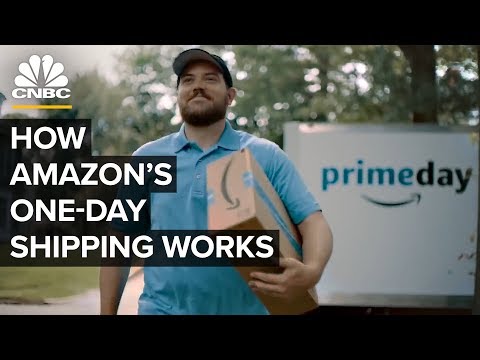
- Select Shipping Speed: Amazon offers multiple delivery tiers — Standard, Expedited, One-Day, and Same-Day, depending on your location and item availability.
- Apply Promotions: Enter promo codes, apply Amazon Coupons, or check if your order qualifies for Subscribe & Save discounts.
- Review and Confirm: Double-check the shipping address, payment method, and order total before clicking “Place your order.”
Pro Tip: Always check the “Sold by” and “Shipped by” labels. Orders fulfilled directly by Amazon tend to have faster shipping and easier return processes compared to third-party seller shipments.
Understanding Amazon Order Statuses and Tracking
Amazon provides detailed tracking information that keeps buyers informed throughout the delivery process. Here is a breakdown of the most common order statuses you will encounter:
- Order Placed: Your order has been received and payment has been authorized.
- Preparing for Shipment: Amazon or the seller is packing your items.
- Shipped: The package has been handed to a carrier and is on its way.
- Out for Delivery: The package has arrived at the local delivery facility and is en route to your address.
- Delivered: The package has been successfully delivered.
- Delivered to Delivery Station: Amazon is using a locker or station pickup model — you will receive a pickup code.
If your order status does not update for an extended period, you can contact Amazon Customer Service directly through the “Manage Orders” page. Most issues, including delayed shipments or lost packages, are resolved within 24 to 48 hours when you reach out through this channel.

Amazon Order Types and Fulfillment Methods
Not all Amazon orders are created equal. The platform offers several fulfillment models, each designed for different shopping needs and seller arrangements.
Fulfilled by Amazon (FBA)
When an order is Fulfilled by Amazon, the seller stores their inventory in Amazon’s warehouses. Amazon handles picking, packing, shipping, customer service, and returns. FBA orders are eligible for Prime shipping, which means buyers get free two-day or one-day delivery — a massive advantage in conversion rates for sellers.
Fulfilled by Merchant (FBM)
In Fulfilled by Merchant orders, the seller ships the product directly to the buyer from their own warehouse. FBM gives sellers more control over shipping speeds and packaging but does not automatically qualify for Prime benefits unless the seller meets Amazon’s stringent shipping performance metrics.
Amazon Warehouse Deals and Renewed
Amazon also offers Amazon Warehouse Deals (open-box or returned items at a discount) and Amazon Renewed (refurbished electronics with a warranty). These are still Amazon orders but come from a different inventory pool, often with slightly longer processing times.
Tips for Managing and Optimizing Your Amazon Orders
Whether you are a frequent buyer or a seller managing hundreds of daily orders, these practical strategies will help you stay organized and save money.
- Use Order Groups: Amazon automatically groups items that ship together. You can track and manage them as a single unit in “Your Orders.”
- Set Delivery Preferences: Under “Delivery Options,” you can schedule specific delivery windows or add delivery instructions like “Leave at back door.”
- Enable Notifications: Turn on order confirmation and shipping alerts through the Amazon app so you never miss a delivery update.
- Use Gift Wrap and Registry Features: For special occasions, Amazon allows gift wrapping and registry creation directly during the ordering process.
- Leverage Amazon Lockers: If you prefer not to receive packages at home, order to an Amazon Locker location near you — available at many Whole Foods, transit stations, and retail partners.
- Schedule Returns Easily: Most Amazon orders are return-eligible within 30 days. Use the “Return or Replace Items” button in “Your Orders” to print a return label instantly.
Comparison Table: Amazon Fulfillment Methods
| Feature | Fulfilled by Amazon (FBA) | Fulfilled by Merchant (FBM) | Amazon Warehouse Deals |
| Shipping Speed | Prime-eligible; fast delivery | Varies by seller | Standard or expedited |
| Customer Service | Handled by Amazon | Handled by seller | Handled by Amazon |
| Return Process | Easy; Amazon handles returns | Seller-specific policies | Amazon-managed returns |
| Price | May include FBA fees in item price | Often lower base price | Discounted pricing |
| Prime Eligibility | Yes (if seller meets metrics) | No (unless seller is a Top Seller) | Sometimes |
Common Amazon Order Problems and How to Fix Them
Even with Amazon’s robust system, issues can arise. Here are the most common problems and their solutions:
- Item Not Received: Check tracking first. If the carrier confirms delivery but you do not have the package, file an A-to-Z Guarantee claim within 90 days of the expected delivery date.
- Wrong Item Received: Go to “Your Orders,” select the problematic item, and choose “Return or Replace Items.” Amazon typically ships the correct item before asking you to return the wrong one.
- Order Cancelled After Payment: This happens when inventory becomes unavailable or payment verification fails. Your refund is processed automatically, but it may take 3 to 5 business days to appear on your statement.
- Delayed Shipment: Contact the seller directly through the order page or reach out to Amazon Customer Service for escalation.
Conclusion
An Amazon order is far more than a simple transaction — it is the result of an intricate global supply chain designed to deliver products quickly, reliably, and with a seamless customer experience. From the moment you click “Buy Now” to the moment your package arrives, Amazon’s systems work behind the scenes to ensure everything runs smoothly. By understanding order types, fulfillment methods, status updates, and return policies, you can shop with greater confidence and make smarter purchasing decisions. Whether you are buying for yourself, your family, or your business, mastering the nuances of Amazon orders puts you ahead of the curve.
Frequently Asked Questions (FAQs)
How long does it take for an Amazon order to be delivered?
Standard Amazon orders typically take 3 to 5 business days for delivery, while Prime orders arrive in 1 to 2 days. Same-day and one-day delivery options are available in select metropolitan areas, and Amazon Pantry orders may take up to 5 days depending on your location and the items ordered.
Can I cancel an Amazon order after it has been placed?
Yes, you can cancel an Amazon order as long as it has not yet entered the shipping phase. Go to “Your Orders,” find the item, and click “Cancel Item.” If the order has already been shipped, you can refuse delivery or initiate a return once it arrives. Refunds are processed back to your original payment method within 3 to 5 business days.
What is the difference between “Shipped by Amazon” and “Sold by a Third Party”?
“Shipped by Amazon” means Amazon handles the fulfillment and delivery of the product, even if a third-party seller listed it. “Sold by a Third Party” indicates the seller is an independent merchant, and fulfillment depends on whether they use FBA or FBM. Orders shipped by Amazon generally offer faster delivery and more straightforward return processes.
How do I track an Amazon order without logging into my account?
You can use Amazon’s “Order Tracking” feature on the homepage by entering your order number and the email address associated with your account. Alternatively, if you received a shipping confirmation email, click the tracking link provided to see real-time carrier updates without needing to sign in.
What happens if my Amazon order arrives damaged?
If your Amazon order arrives damaged, go to “Your Orders,” select the affected item, and choose “Return or Replace Items.” Select “Item arrived damaged” as the reason, upload photos if prompted, and Amazon will arrange a replacement or refund at no additional cost to you. For FBA orders, Amazon may even send a replacement before you return the damaged item.