


If you have ever wondered how to build a cheap gaming PC that still delivers smooth 1080p performance without draining your savings, you are in the right place. The idea of putting together an affordable gaming rig might sound intimidating, but the truth is that budget-friendly builds have never been more accessible. With the right component selection, a clear game plan, and a few insider strategies, you can assemble a machine that handles modern titles at respectable frame rates for under $700. This cheap gaming PC guide walks you through everything from choosing the best budget CPU and GPU to avoiding common money-wasting mistakes that first-time builders make.
Why Build a Cheap Gaming PC Instead of Buying Pre-Built?
One of the first decisions you will face is whether to buy a pre-built system or assemble your own. While pre-built budget gaming computers from major retailers seem convenient, they often come with inflated prices, bloatware, and components that are not optimized for actual gaming performance. When you build your own machine, every dollar goes directly toward the parts that matter most for frame rates and visual quality.
The Real Cost of Entry-Level Gaming in 2024
A truly capable budget gaming PC does not need to cost a fortune. You can realistically target a sweet spot between $500 and $800 and still enjoy today’s popular titles at medium-to-high settings. The key is understanding where to allocate your budget wisely. Spending too little on the graphics card will bottleneck your entire system, while overspending on a premium processor you do not actually need wastes money that could go toward better storage or cooling.
- Graphics Card (GPU): 40–50% of your total budget
- Processor (CPU): 20–25% of your total budget
- RAM: 10–15% of your total budget
- Storage: 10–15% of your total budget
- Motherboard and PSU: 10–15% of your total budget
This allocation strategy ensures that the single most important component for gaming — the graphics card — gets the lion’s share of your investment. A well-balanced affordable gaming PC build prioritizes GPU power above all else.
Best Budget Components for a Gaming PC
Selecting the right parts is the backbone of any cheap gaming PC guide. Below is a detailed breakdown of the best value components currently available for budget-conscious builders.
CPU Options on a Budget
For a budget build, you do not need a high-end processor. AMD’s Ryzen 5 series and Intel’s Core i3 and i5 offerings deliver excellent gaming performance at price points that leave room for other critical components.
- AMD Ryzen 5 5600 — A six-core, twelve-thread powerhouse that handles virtually every modern game with ease and runs cool and efficient.
- Intel Core i3-13100F — An excellent budget choice with four performance cores and four efficiency cores, ideal for entry-level gaming setups.
- AMD Ryzen 5 5500 — A slightly more affordable option that still punches well above its weight in gaming workloads.
When choosing a CPU for a cheap gaming PC, always prioritize single-thread performance, since most games rely heavily on that metric. Avoid overkill choices like the Ryzen 9 or Core i9 series unless you plan to stream, edit video, or run productivity workloads alongside gaming.
GPU Choices That Deliver the Most Value
The graphics card is the heart of any gaming PC. In the budget segment, the NVIDIA GeForce GTX 1650 and AMD Radeon RX 6600 remain popular choices, but newer options like the Intel Arc A580 and NVIDIA RTX 4060 have shifted the value proposition significantly. For the best price-to-performance ratio, look for cards that offer at least 6GB of VRAM, since modern games increasingly demand more video memory.
RAM and Storage Picks
16GB of DDR4 RAM is the current sweet spot for a budget gaming PC. It provides enough headroom for modern titles and multitasking without the premium price tag of DDR5 kits. For storage, pairing a 500GB NVMe SSD as your primary drive with a 1TB HDD for game storage gives you the perfect balance of speed and capacity at a minimal cost.
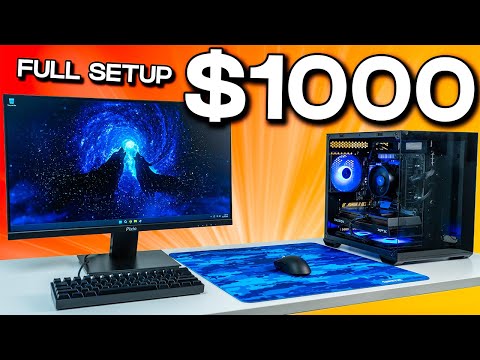
Pre-Built vs. DIY Budget Gaming PCs

If building from scratch feels too daunting, several manufacturers offer surprisingly competitive budget gaming PC deals. Brands like iBUYPOWER, Skytech, and CyberPowerPC frequently run sales that bring entry-level gaming rigs into the $600–$800 range. However, always compare the internal specifications against a DIY build. Many pre-budes cut corners with low-wattage power supplies, slow hard drives, or outdated motherboards that limit future upgrades.
| Feature | DIY Budget Build | Pre-Built Budget PC |
| Price Range | $500–$800 | $600–$900 |
| Component Quality | Full control over every part | Often uses proprietary or lower-tier parts |
| Upgradeability | Highly flexible and expandable | Sometimes limited by proprietary cases or boards |
| Warranty Support | Individual component warranties | Single system warranty, often 1–2 years |
| Time Investment | Several hours of research and assembly | Ready to use out of the box |
The best cheap gaming PC for you ultimately depends on your comfort level with hardware. If you are willing to invest a weekend in research and assembly, a DIY build almost always delivers better value and longevity.
Sample Budget Gaming PC Build
Here is a realistic affordable gaming PC build that targets around $650 and delivers solid 1080p gaming at 60fps on most titles at medium-to-high settings.
- CPU: AMD Ryzen 5 5600 — ~$130
- GPU: RX 6600 8GB — ~$200
- Motherboard: B550M Micro-ATX — ~$90
- RAM: 16GB DDR4 3200MHz (2x8GB) — ~$50
- Storage: 500GB NVMe SSD — ~$35
- PSU: 550W 80+ Bronze — ~$50
- Case: Budget Micro-ATX Tower with airflow — ~$45
Total estimated cost: approximately $600–$650. This configuration leaves a small buffer in your budget for a Windows license, a basic CPU cooler, or additional storage down the road.
Expert Gaming Guides Tips to Save Money Without Sacrificing Performance
Saving money on a budget gaming computer does not mean settling for a subpar experience. Follow these expert strategies to maximize every dollar.
- Buy previous-generation components. The Ryzen 5 5600 and GTX 1660 Super are still excellent gaming parts that have dropped significantly in price as newer models arrived.
- Watch for sales and bundle deals. Major retail events like Black Friday, Amazon Prime Day, and Newegg sales often feature deep discounts on complete build kits.
- Skip the RGB. Case fans with RGB lighting cost significantly more than their non-RGB counterparts. Prioritize airflow and static pressure over aesthetics.
- Consider used or refurbished parts. GPUs and CPUs from reputable sellers on platforms like eBay or r/hardwareswap can save you 30–40% compared to retail prices.
- Start with a mid-range GPU. Even a $150–$200 graphics card will give you years of satisfying gameplay, and you can always upgrade it later without replacing the rest of the system.
The biggest mistake beginners make is overspending on the CPU or motherboard and then skimping on the GPU. Remember that in gaming, the graphics card matters far more than the processor. A $130 CPU paired with a $200 GPU will outperform a $250 CPU paired with a $100 GPU in virtually every game scenario.
Common Mistakes to Avoid When Building a Cheap Gaming PC
Even experienced builders occasionally make budgeting errors that hurt performance or lead to costly mistakes. Here are the most common pitfalls to watch out for.
- Underspending on the power supply. A cheap, low-wattage PSU can cause system instability or even damage expensive components. Always choose a unit with an 80+ Bronze rating or higher.
- Ignoring compatibility. Not every CPU works with every motherboard. Always verify the socket type and chipset compatibility before making a purchase.
- Buying 8GB of RAM. Eight gigabytes is simply not enough for modern gaming in 2024. Twelve or sixteen gigabytes should be the absolute minimum for a build designed to last.
- Forgetting a case fan. A case without adequate airflow will cause thermal throttling, which tanks your frame rates and shortens component lifespan.
FAQ: Answers to Common Questions About Cheap Gaming PCs
What is the cheapest gaming PC I can build in 2024?
The most affordable functional gaming PC build can be assembled for around $450–$500 using an AMD Ryzen 5 5500, a used RX 6500 XT or GTX 1650, 16GB of DDR4 RAM, and a 500GB SSD. Keep in mind that the absolute lowest-priced builds will struggle with newer, more demanding titles and may need a GPU upgrade sooner.
Can a $500 gaming PC run modern games?
Yes, a carefully selected $500 budget gaming PC can run popular titles like Fortnite, Valorant, Rocket League, and GTA V at high frame rates. For more demanding AAA releases, you may need to lower texture quality settings, but 60fps gameplay at 1080p is still very achievable at this price point.

Is it better to buy a pre-built cheap gaming PC or build one yourself?
Building your own affordable gaming PC almost always provides better value, superior component quality, and greater upgradeability. Pre-built systems offer convenience but frequently include proprietary parts, weaker power supplies, and inflated prices that reduce your overall value per dollar spent.
What is the best GPU for a budget gaming PC under $300?
The AMD Radeon RX 6600 and Intel Arc A580 currently lead the sub-$300 GPU market for budget gaming rigs. Both cards deliver strong 1080p performance, support modern features like ray tracing, and offer 8GB of VRAM, which is increasingly important for future-proofing your build.
How long will a cheap gaming PC last before needing upgrades?
A well-built budget gaming PC can remain relevant for three to five years before requiring significant upgrades. Starting with a mid-range GPU and 16GB of RAM gives you the best longevity. You can extend its lifespan by upgrading the graphics card every few years and adding more storage as needed.
Do I need an expensive motherboard for a cheap gaming PC?
Absolutely not. A budget B550 or B660 chipset motherboard provides all the features a gaming PC needs, including PCIe 4.0 support, sufficient VRM cooling, and multiple M.2 slots. Spending $150–$200 on a premium motherboard will not improve your gaming performance and is a waste of money in a budget build.
Final Thoughts
Building a cheap gaming PC is one of the most rewarding experiences for any PC enthusiast, whether you are a complete beginner or a seasoned builder looking to optimize your budget. By following the component recommendations, allocation strategies, and expert tips outlined in this cheap gaming PC guide, you can confidently put together a machine that delivers excellent 1080p gaming performance without overspending. The key takeaway is simple: prioritize the GPU, choose a capable but affordable CPU, ensure you have at least 16GB of RAM, and invest in a quality power supply. With patience and smart shopping, you will have a budget gaming rig that punches well above its price tag and provides countless hours of immersive gameplay for years to come.